









Post-Purchase Survey Guide: What to Ask and What It's Worth

Works with Fairing and KnoCommerce
A post-purchase survey is a short questionnaire shown to customers immediately after they place an order, usually at the top of the order confirmation page. It asks questions the customer can answer in seconds, such as how they heard about you and who they’re shopping for.
It’s one of the cheapest sources of customer truth in ecommerce. Fairing reports a 50% average response rate across its customer base and KnoCommerce 45%, against the 10% to 15% that email surveys typically get, because you’re asking at the one moment when the customer has just decided you were worth their money and is waiting for the confirmation to load anyway.
Most guides to post-purchase surveys stop at the question list. This one covers that, plus setup on Shopify, how to read the results without fooling yourself, and the step most brands skip entirely: working out what each answer is actually worth. Because a survey answer on its own is a label. “Heard about us from a friend” tells you something. “Referred customers are worth three times the store average at 12 months” tells you what to do next: fund the referral programme properly, and put the invite in front of the customers most likely to refer a friend.
What is a post-purchase survey?
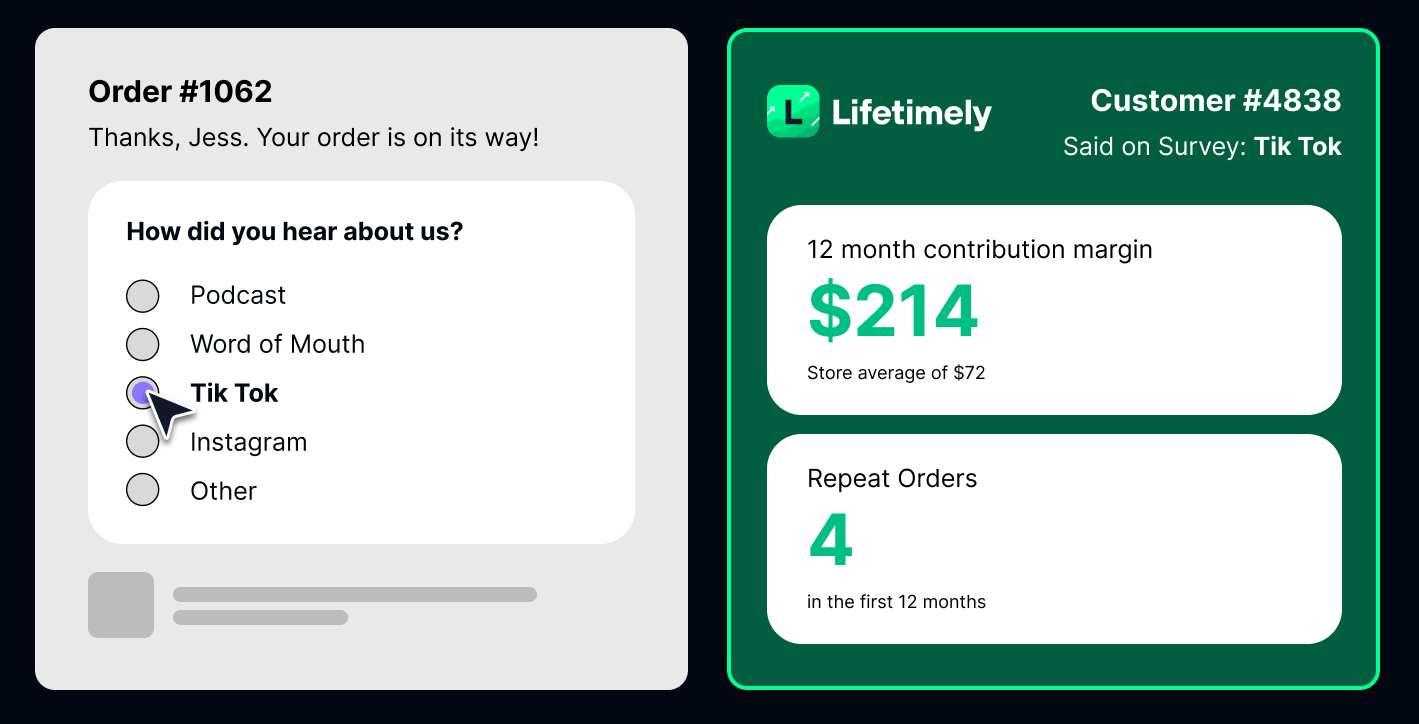
A post-purchase survey (often shortened to PPS) is a survey served to a customer right after checkout, on the thank-you page or order status page, and tied to the order they just placed. On Shopify it’s added through a survey app such as Fairing or KnoCommerce, which renders the questions inside the checkout’s confirmation screen.
Three things make the timing work:
The memory is fresh. The podcast ad, the friend’s recommendation, the TikTok that started it all happened recently, so the answer is more accurate than anything you’d get a week later.
There’s nothing left to interrupt. The purchase is complete, so the survey can’t hurt conversion. That’s the main reason response rates are so much higher than pre-purchase pop-ups or follow-up emails.
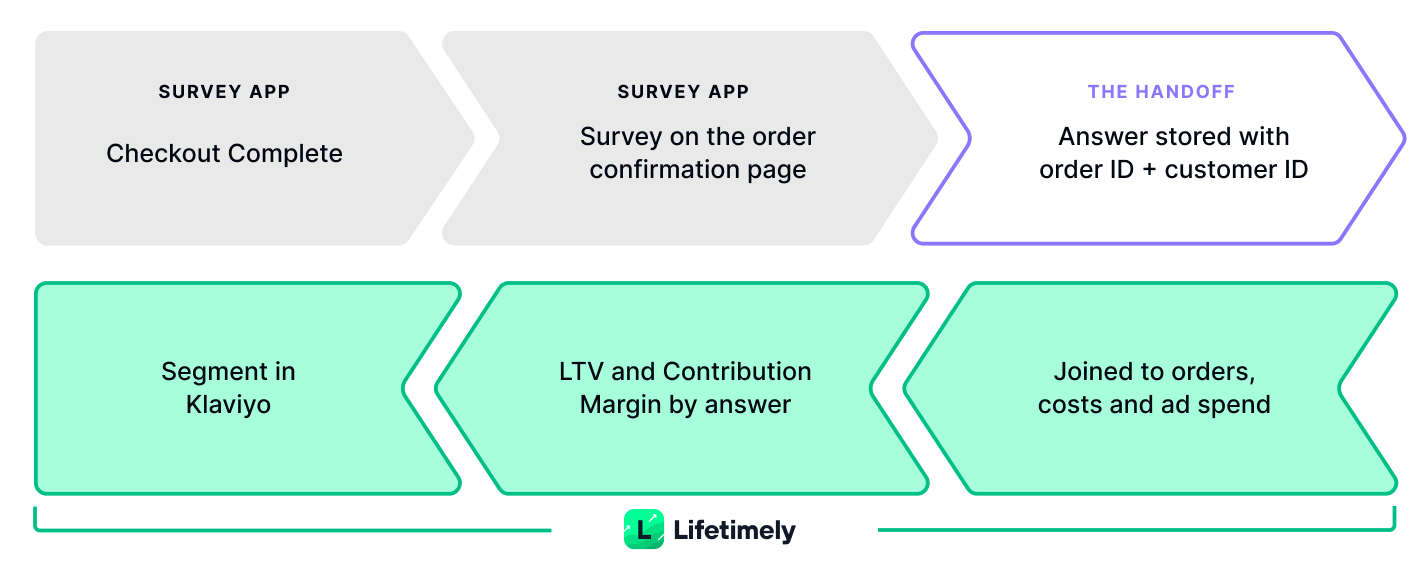
Every answer is attached to an order. Because the survey fires on a specific order, each response carries an order ID and a customer ID. That link is what turns survey answers from opinions into something you can measure against later, which we’ll come back to.
The answers are what marketers call zero-party data: information the customer volunteers directly, rather than something inferred from a cookie, a pixel or a purchase history. It’s the most privacy-safe data you can collect and, when the questions are written well, the most honest.
Why post-purchase surveys matter more now
For most of the 2010s, ad platforms could tell you where a customer came from. That’s much less true today. Browser privacy changes, iOS tracking prompts, ad blockers and the general mess of cross-device journeys mean a meaningful share of orders arrive with no usable attribution at all, while each ad platform still claims credit for as many of them as its own model allows. Add up the conversions Meta, Google and TikTok report and you’ll often exceed your actual order count.
Meanwhile some of the channels that grow brands fastest leave no digital trail. Podcasts, word of mouth, a creator mentioning you in a video without a link, a product spotted in someone’s kitchen. UTM parameters can’t see any of that. A survey can. Weezie, a towel brand, used a post-purchase survey to confirm that roughly 35% of its business came from word of mouth — a figure no pixel would ever have produced.
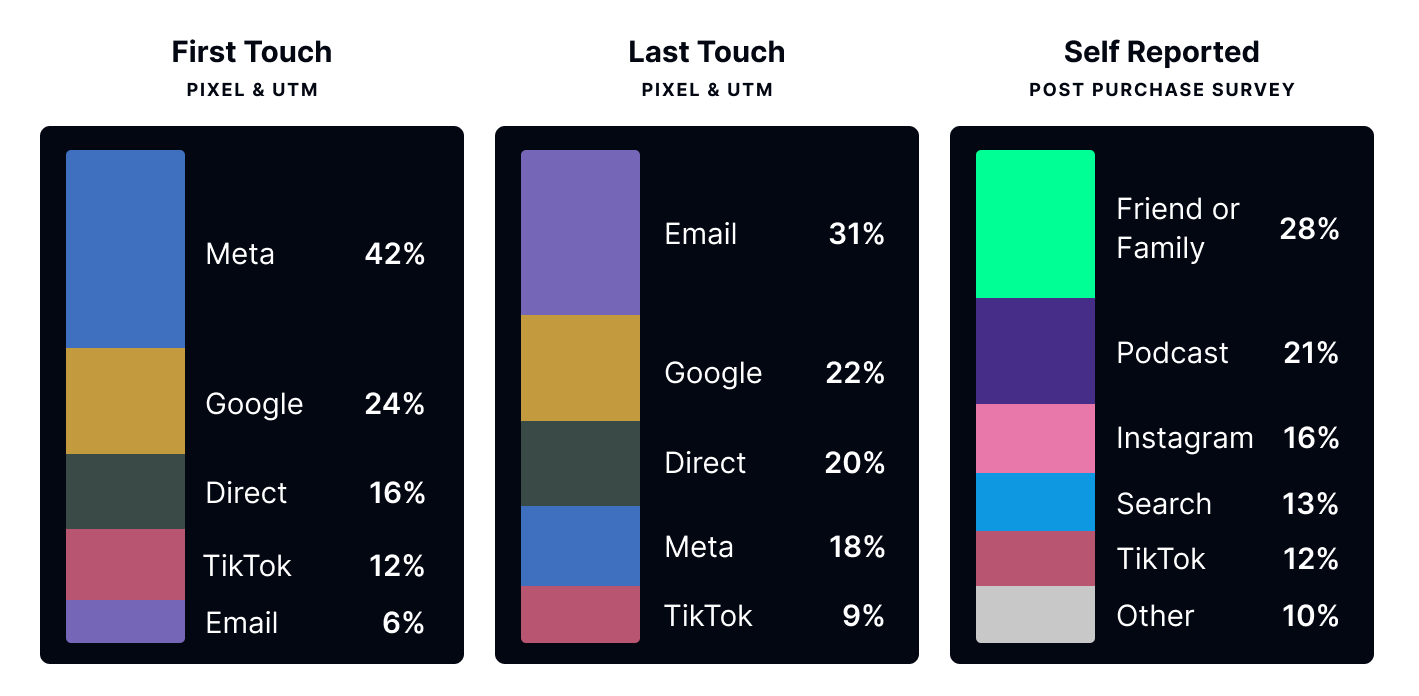
This is why the “How did you hear about us?” survey question (HDYHAU) has become the standard opener. Self-reported attribution won’t replace your tracked attribution, and it shouldn’t. It’s a third lens alongside first-touch and last-touch data, with its own biases (people misremember, and they sometimes pick the option that sounds best). The useful move is to lay the three side by side and look at where they disagree, not to merge them into one number.
Attribution is the headline use, but it’s not the only one. The same survey can tell you who is buying (self or gift), why they chose you over the alternative, what nearly stopped them, and what they’d want next. Each of those is a label you can later put a value on.
Post-purchase survey questions worth asking
The best post-purchase survey questions share three traits: they’re easy to answer with a click, they ask about something only the customer knows, and the answer changes a decision you’d otherwise make on gut feel. Grouped by the job they do:
Attribution questions
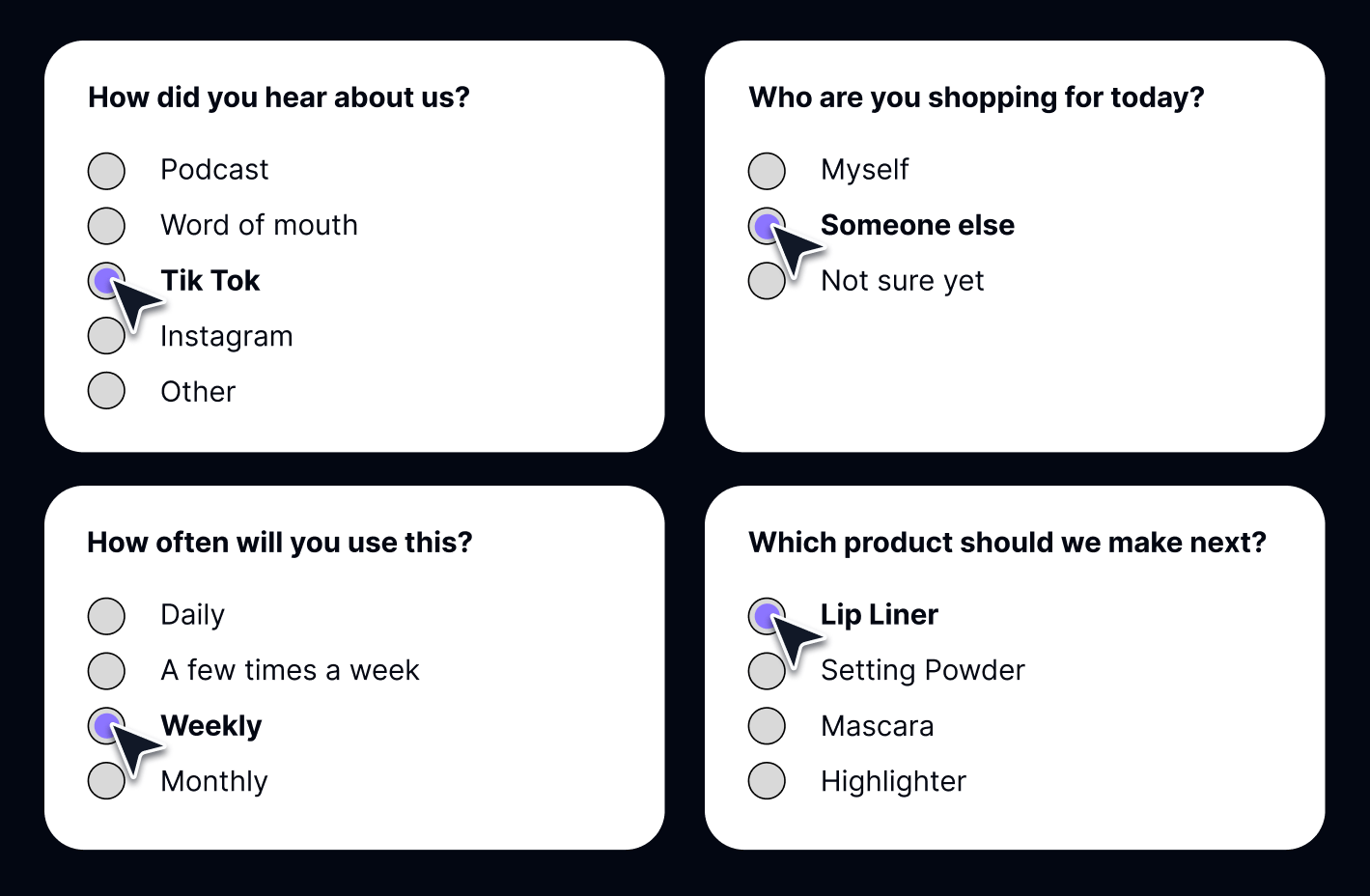
“How did you hear about us?” belongs first. Make it single-select, keep the options to the channels you actually use plus an “Other” with free text, and be specific where it matters: “Podcast” and “Friend or family” are more useful than “Word of mouth.” Randomise the order of the options if your app supports it, so the top option doesn’t get picked by default. A conditional follow-up (“Which podcast?”) often pays for the whole survey.
Motivation and intent questions
“Who are you shopping for today?” separates self-buyers from gift-buyers, two groups that should never receive the same replenishment email. “What made you decide to buy today?” and “Did anything nearly stop you from buying?” surface objections and site problems your analytics can’t see. Agencies that run the second question report customers flagging broken images and trust concerns nobody had noticed internally.
Profile questions
Age range, gender, household size, how often they expect to use the product. Kept to one or two questions, these give you personas you can later compare on repeat rate and margin, rather than personas invented in a workshop.
Product and launch questions
“Which product should we make next?” and “Would you buy [new product] if we launched it?” give you a warm list before a launch exists. After delivery, an NPS or satisfaction question by email closes the loop, but keep it off the confirmation page, where the customer hasn’t received anything yet.
How many questions?
One to three is the safe default, with a click-to-answer question first and open-ended questions last. Longer surveys work when they’re designed well: Oats Overnight runs a 20-question post-purchase survey through KnoCommerce and still sees a 58% response rate and 77% completion. The rule isn’t “keep it short.” It’s “keep every question earning its place.”
How to set up a post-purchase survey on Shopify
Setting up a post-purchase survey on Shopify takes about an hour with a dedicated app. The steps:
1. Choose a survey app. Fairing and KnoCommerce are two of the most widely used post-purchase survey apps on Shopify, and both do the job well. Fairing’s strength is measurement: its Question Stream shows one question at a time, its question bank has been reviewed by a survey methodologist to reduce bias, and it reports a roughly 50% average response rate. KnoCommerce leans toward audience building: 12 question types, templates for attribution and persona research, response breakdowns across 60+ data points, and audiences you can push to other tools. It reports a 45% average response rate. Both connect to Klaviyo, and both connect to Lifetimely.
2. Place it at the top of the order confirmation page. Both apps install through Shopify’s checkout extensions, so the survey renders natively on the thank-you page and order status page without theme code. Position matters: surveys at the top of the page outperform surveys tucked below the order summary.
3. Write the first question for a click, not a paragraph. Start with “How did you hear about us?” as a single-select. Match the options to your live channel mix and include “Other” with a text field. Review the free-text answers monthly; new channels show up there first.
4. Add one or two follow-ups. “Who is this for?” or “What nearly stopped you?” is usually the highest-value second question. Use the app’s targeting so repeat customers aren’t asked how they found you for the fifth time.
5. Connect it to the tools that will use the answers. At minimum your email platform, so gift-buyers and self-buyers land in different flows, and your profit analytics, so you can compare answers with what those customers go on to spend. If you run a review programme alongside your surveys, see how to connect review data to LTV and contribution margin.
6. Track response rate and completion rate separately. Response rate is the share of customers who answer the first question; completion rate is the share who finish. Below 20% on the confirmation page usually means a placement or first-question problem. A healthy response rate with a weak completion rate means later questions are too long, or too personal too soon.
7. Don’t change what a question asks once it’s live. Rewording is fine, since both apps keep a stable question ID behind the prompt. Changing the meaning of the question or the option set mid-year breaks every comparison you’ll want to make later.
Want to see what each survey answer is worth for your store?
Start a free Lifetimely trial and connect Fairing or KnoCommerce in a couple of clicks.
Install Lifetimely for FreeHow to read post-purchase survey results without fooling yourself
A well-run survey generates a lot of confident-looking percentages. A few habits keep them honest.
Share of response is not share of value. If 30% of respondents say “Instagram,” that’s 30% of the people who answered, not 30% of your revenue and certainly not 30% of your profit. Channels attract different kinds of customers. The one that brings in bargain hunters and the one that brings in loyal repeat buyers can post identical response shares and wildly different economics.
Who answers is not who buys. A 50% response rate is excellent for a survey, but the half who don’t answer are not a random sample. Treat survey numbers as strong directional evidence, and check them against order data before you move budget.
Don’t blend survey attribution into tracked attribution. It’s tempting to use survey answers to fill in the orders your pixel couldn’t attribute. Resist. The two methods measure different things (what the customer remembers versus what the browser recorded), and mixing them produces a number nobody can audit. Report them separately and study the gaps.
Small segments lie. Twelve gift-buyers who also came from a podcast are an anecdote, not a persona. Set a minimum respondent count before you act on any cross-cut of answers.
Value takes time to show. A customer who says “referred by a friend” looks identical to everyone else on day one. The difference appears in month three, six and twelve, in whether they come back. Judging survey segments on first-order revenue misses the point of collecting them.
What each survey answer is worth: connecting responses to LTV and margin
Everything above is about collecting good labels. This section is about pricing them, in contribution margin per customer rather than first-order revenue.
Your survey app knows what each customer said. Your store knows what each customer did next: every reorder, every discount, every refund, along with what the products cost you and what you paid to acquire the customer. Because each survey response is tied to an order and a customer, the two datasets can be joined, and once they are you can answer questions neither could answer alone:
- Which “How did you hear about us?” answer produces the most profitable customers at 12 months, not the most first orders?
- Do gift-buyers ever come back, and if so, when? Should they get a replenishment flow at all?
- Is our biggest survey persona also our most profitable one, or just our loudest?
- Of the customers who said they’d buy the new flavour, which ones are already high-margin buyers who should get the first email?
- Does the channel our survey rates highest still look good once contribution margin is included, or does discounting eat it?
This is the layer Lifetimely adds. Connect Fairing or KnoCommerce and every survey response is matched to the order it came with and the customer who placed it, alongside COGS, shipping, ad spend, refunds and subscription data. From there you can break down lifetime value, repeat rate, contribution margin or CAC-to-LTV by any survey answer, on any question, over 6-, 12- and 18-month windows.
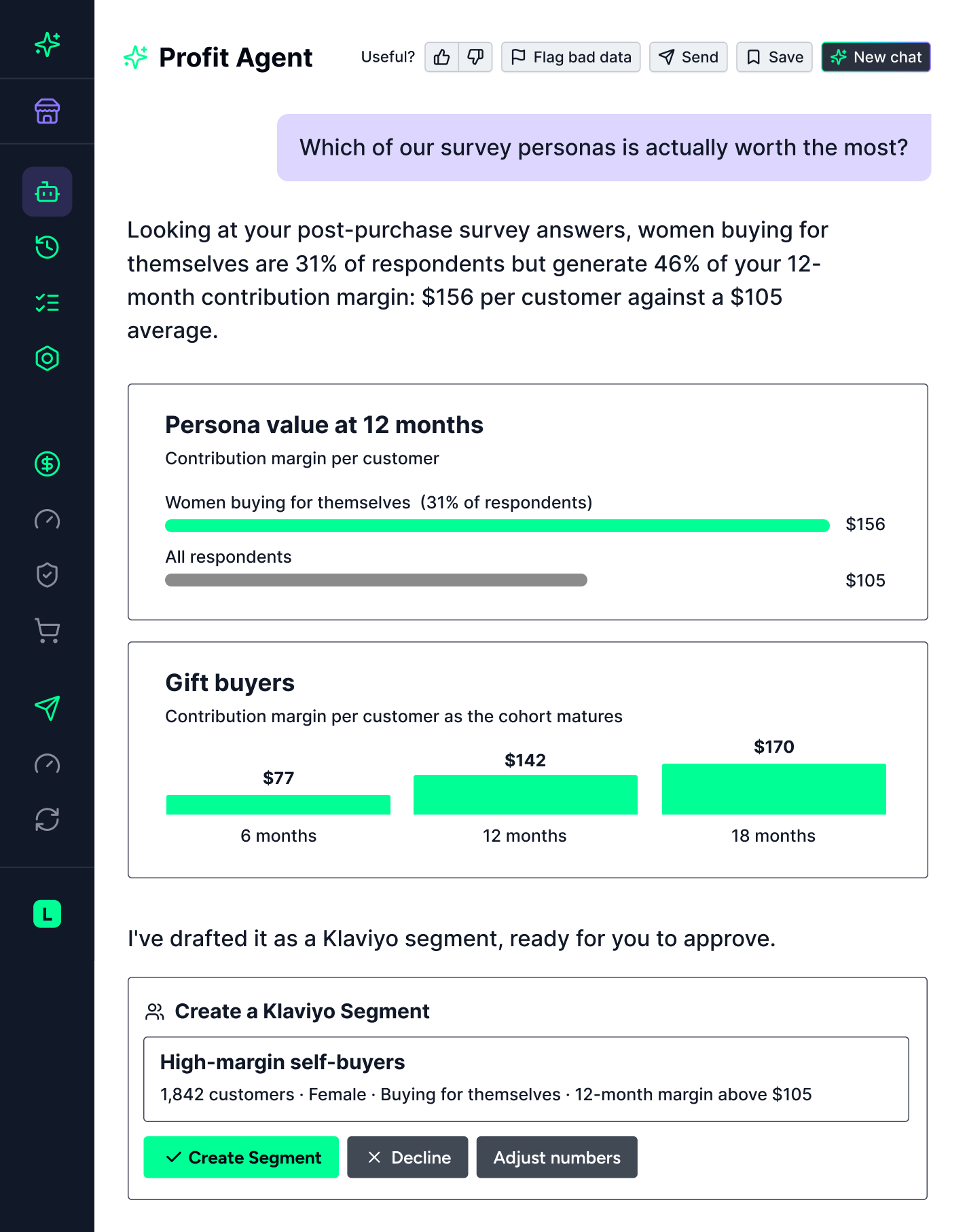
The Profit Agent makes it conversational. Instead of exporting responses and combining filters by hand, you describe the group you care about in plain language: “customers who said they use it weekly and heard about us from a friend.” The agent combines the answers into one persona, checks how many customers match, prices it on contribution margin and LTV, and comes back with something like:
“Customers who use it weekly and heard about you from a friend average $218 in contribution margin per customer to date, versus $72 storewide, on 340 customers. New customers matching this combination are likely to be just as valuable, so it’s worth flagging them early for a subscription push in your post-purchase flow. Want me to build it as a Klaviyo segment?”
Say yes and the segment is created in Klaviyo, kept up to date as new customers match, and its revenue and profit are reported back so you can see whether the persona is paying off. You approve each step. Nothing is sent or spent without you.
Some of the patterns brands find once survey answers have a value attached:
The persona that’s small but carries the margin. A skincare brand finds that women buying for themselves are 31% of respondents but generate 46% of the 12-month contribution margin those respondents produce: $156 per customer against a $105 average. That’s the group to build the next launch around, and it’s invisible in a response-share chart.
Gift-buyers who are worth more than expected. Gift purchases often look like one-offs, then quietly turn into strong cohorts: $77 in contribution margin per customer at 6 months, $142 at 12 and $170 at 18. That’s a group that deserves its own nurture flow, not a replenishment reminder for a product they don’t use.
The channel that wins the survey and loses on margin. A channel can top your “How did you hear about us?” chart and still deliver customers whose discounting and returns leave the 12-month margin below your average. Seen next to contribution margin, the survey result reads very differently.
A pre-launch list ranked by existing value. When 212 respondents say yes to a new product, the first email should go to the ones who are already your most profitable customers, not to the whole list at once.
Already running Fairing or KnoCommerce?
Connect your survey to Lifetimely and ask the Profit Agent what your most common answer is actually worth.
Install Lifetimely for FreePost-purchase survey mistakes to avoid
Options that don’t match reality. A “How did you hear about us?” list built two years ago misses the channels you’re spending on today and pushes those customers into “Other.”
Open-ended first. Asking customers to type before they’ve clicked anything is the fastest route to a 15% response rate.
Ignoring the “Other” text. That free-text field is where new podcasts, creators and communities show up months before they register anywhere else.
Collecting and never revisiting. A survey read once at setup is an expensive way to confirm what you already believed. Schedule a monthly read, and check the answers against what those customers went on to do.
Post-purchase survey FAQ
What is a post-purchase survey?
A post-purchase survey is a short survey shown to a customer immediately after they complete an order, usually on the order confirmation page, asking how they found the brand, who they bought for, or why they chose to buy. Because it’s tied to a specific order, each answer can be matched to that customer’s later behaviour.
What is a good post-purchase survey response rate?
On the order confirmation page, 40% to 60% is typical with a good first question, and the two leading Shopify survey apps report averages of roughly 45% to 50%. Email surveys usually land at 10% to 15%. Below 20% on the confirmation page points to a placement or question-design problem.
What is the best first question for a post-purchase survey?
“How did you hear about us?” as a single-select question, with your live channels listed and an “Other” text option. It’s fast to answer, it captures channels your pixels can’t see, and it sets up the follow-up questions.
Where does a post-purchase survey appear on Shopify?
On the thank-you page and order status page, rendered through the survey app’s checkout extension. Placing it at the top of the page, above the order summary, produces the highest response rates.
Is self-reported attribution more accurate than pixel attribution?
Neither is complete on its own. Pixels miss offline and dark-social channels and are affected by privacy changes; surveys depend on memory and only cover the people who answer. Use both, report them separately, and pay attention to where they disagree.
What is zero-party data?
Zero-party data is information a customer shares with you deliberately, such as survey answers, preferences or intentions. It differs from first-party data, which is observed behaviour like page views and purchases, and from third-party data bought from outside sources.
How do I know what a survey answer is worth?
Join the survey response to the customer’s order history and costs, then compare repeat rate, lifetime value and contribution margin across answers over 6, 12 and 18 months. Tools that connect your survey app to your profit data, such as Lifetimely, do this without exports.
Ask better questions, then price the answers
A post-purchase survey is the cheapest way to hear directly from the people who just paid you. Ask a small number of good questions, place them where customers actually answer, read the results with the right amount of scepticism, and then do the part that turns answers into decisions: find out which answers belong to the customers worth keeping.
Lifetimely connects to Fairing and KnoCommerce, as well as Shopify and Klaviyo, and starts pricing your survey personas on contribution margin and LTV as soon as your data is in. Built on $100B+ in GMV, it already knows what a profitable customer looks like for a brand like yours.
Find out what your customers' answers are worth.
Install Lifetimely for FreeNuno Brito
Nuno Brito is Growth Lead at Lifetimely, where he writes about profit, retention and the numbers ecommerce brands should actually run on. He has spent over a decade in B2B SaaS marketing, from copywriting to product marketing and GTM at PandaDoc, Talkdesk and TaxCloud, including launching PandaDoc Notary to seven-figure ARR. He has a soft spot for SEO and AEO. When he's off the clock, he's looking for a wave to surf.