Capture Lost Sales with Automated Back in Stock Alerts
Capture and convert buyer demand with customizable signup forms, instant notifications, and built-in preorders.
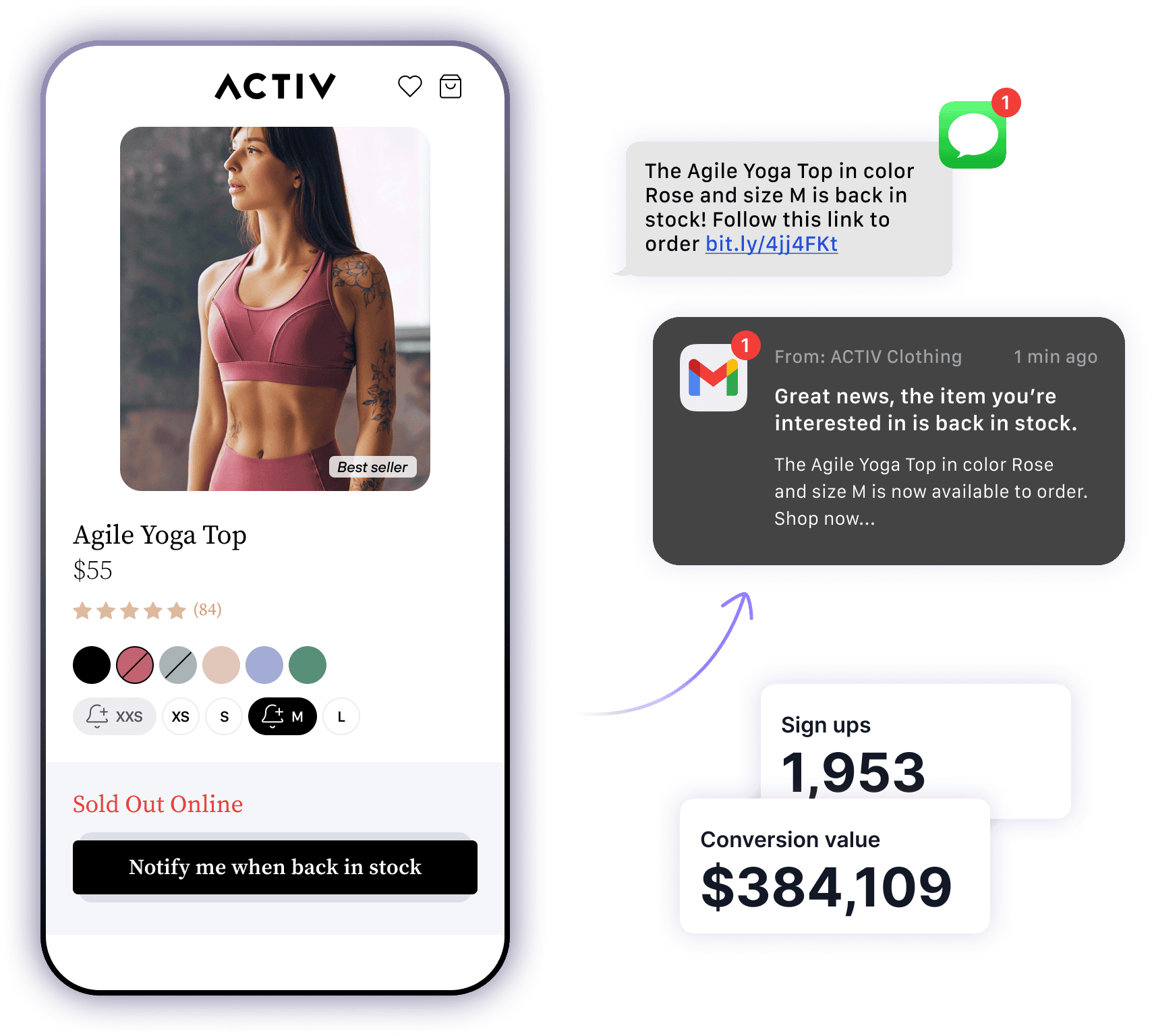






Capture demand
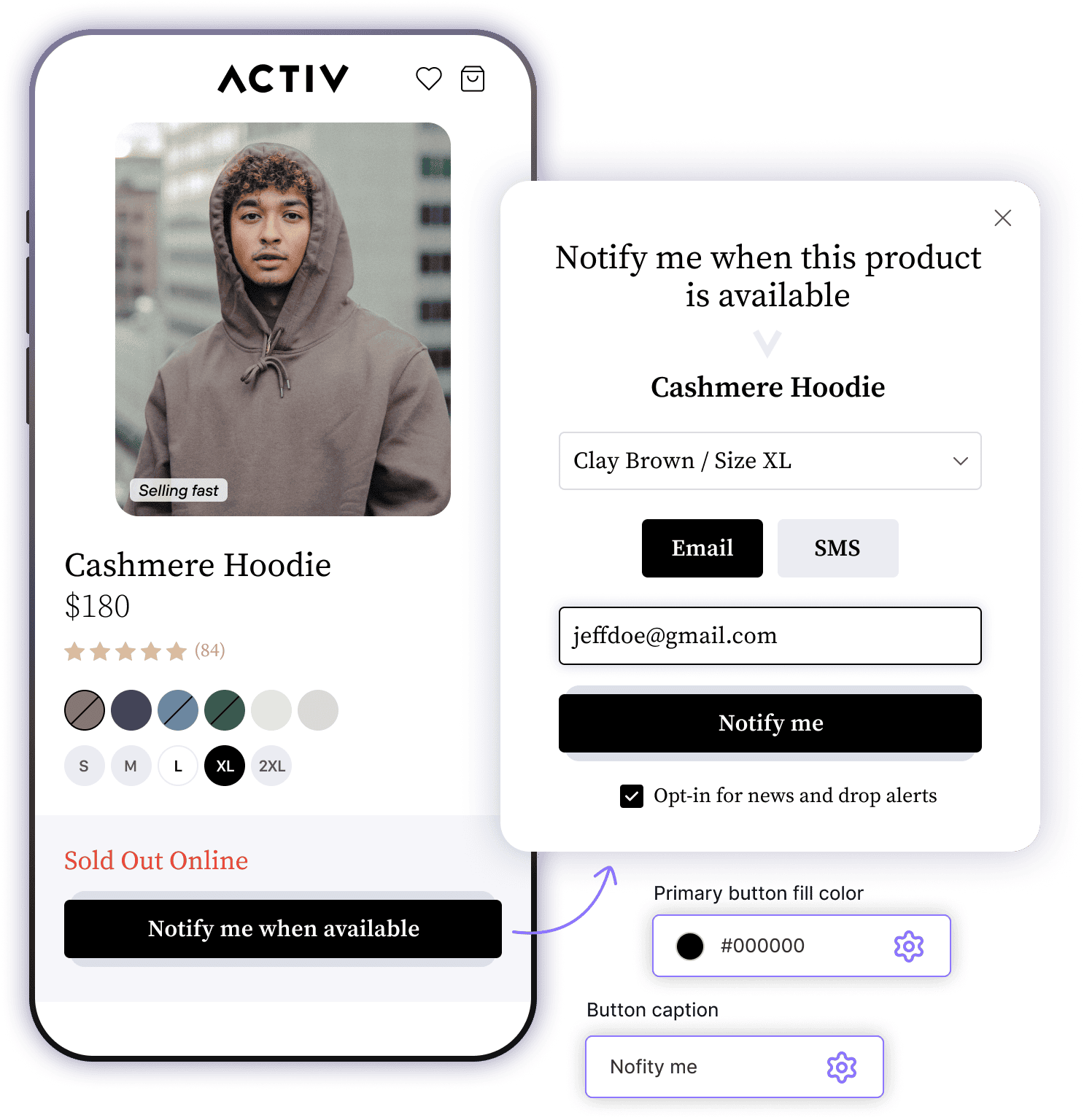
Capture buyer demand with customizable signup forms and pop-ups
Install and start sending alerts in minutes, match your Shopify theme, and capture buyer demand with customizable signup forms, pop-ups, and "Notify Me When Available" buttons.

Never miss a sale
Capture buyer demand in the moment to avoid lost sales, and use this data to inform your marketing strategies.

Customize design to match your brand
Back in stock buttons, forms, and pop ups can be fully customized to fit seamlessly with your store.

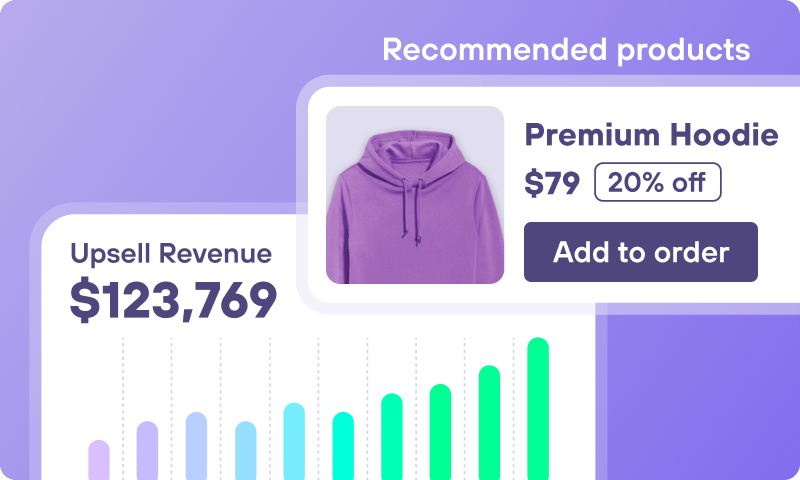
Boost upsells and cross-sells
Use demand insights to promote similar or premium products for higher AOV.
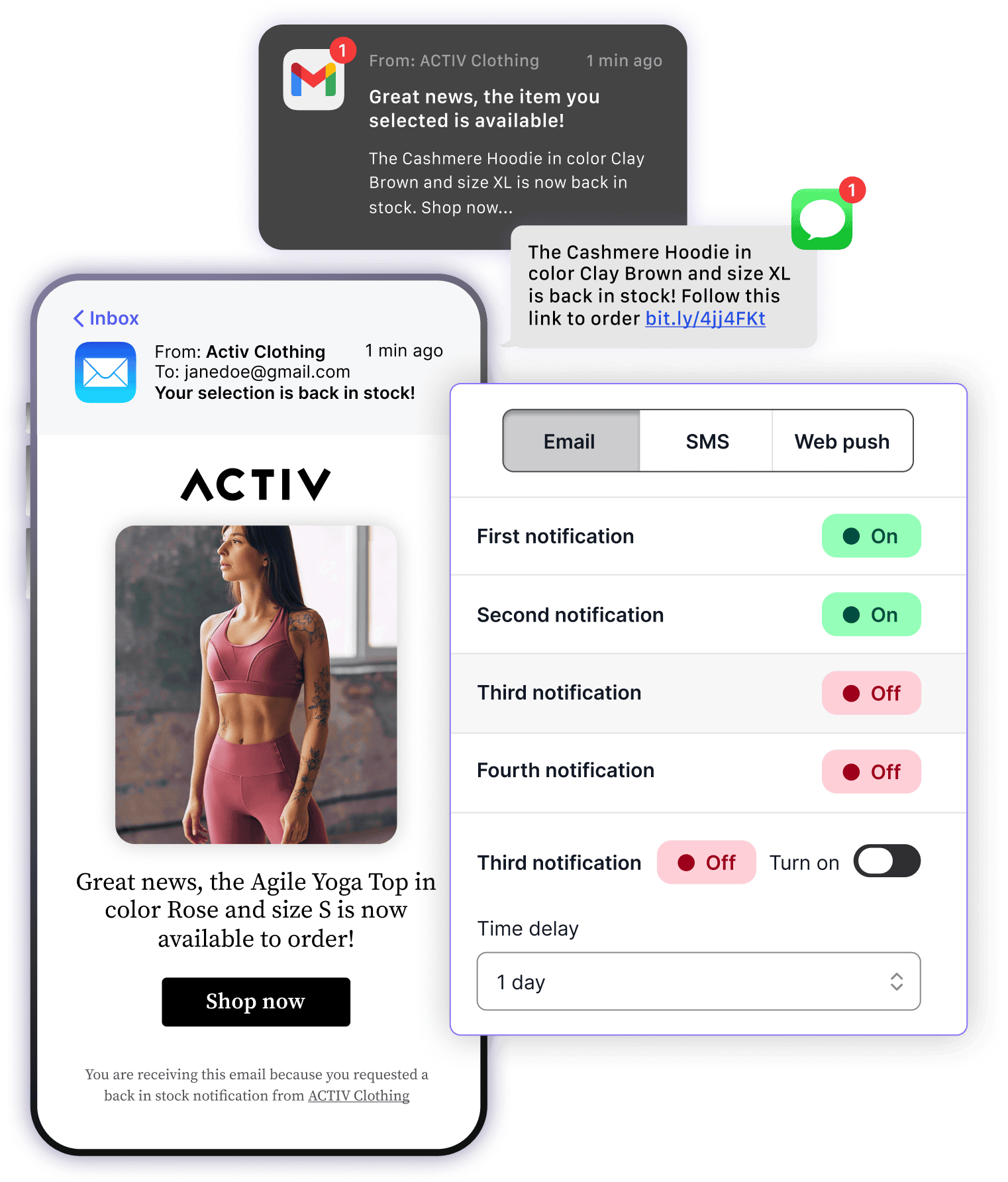
Convert demand
Turn restocks into sales with instant and scheduled customer notifications
Instantly convert restocks into sales with automated email, SMS, and web push notifications in multiple languages. Recover lost revenue while controlling delivery timing, audience size, and branding.

Instant and scalable delivery
Notify customers within 60 seconds of a restock for immediate conversions.

Full control over notifications
Manage delivery settings to control how many customers get alerts at once, ensuring a smooth and manageable sales flow.

Brand-aligned messaging
Customize email, SMS, and push notifications to match your store's look and voice and deliver notifications in multiple languages.
Boost sales
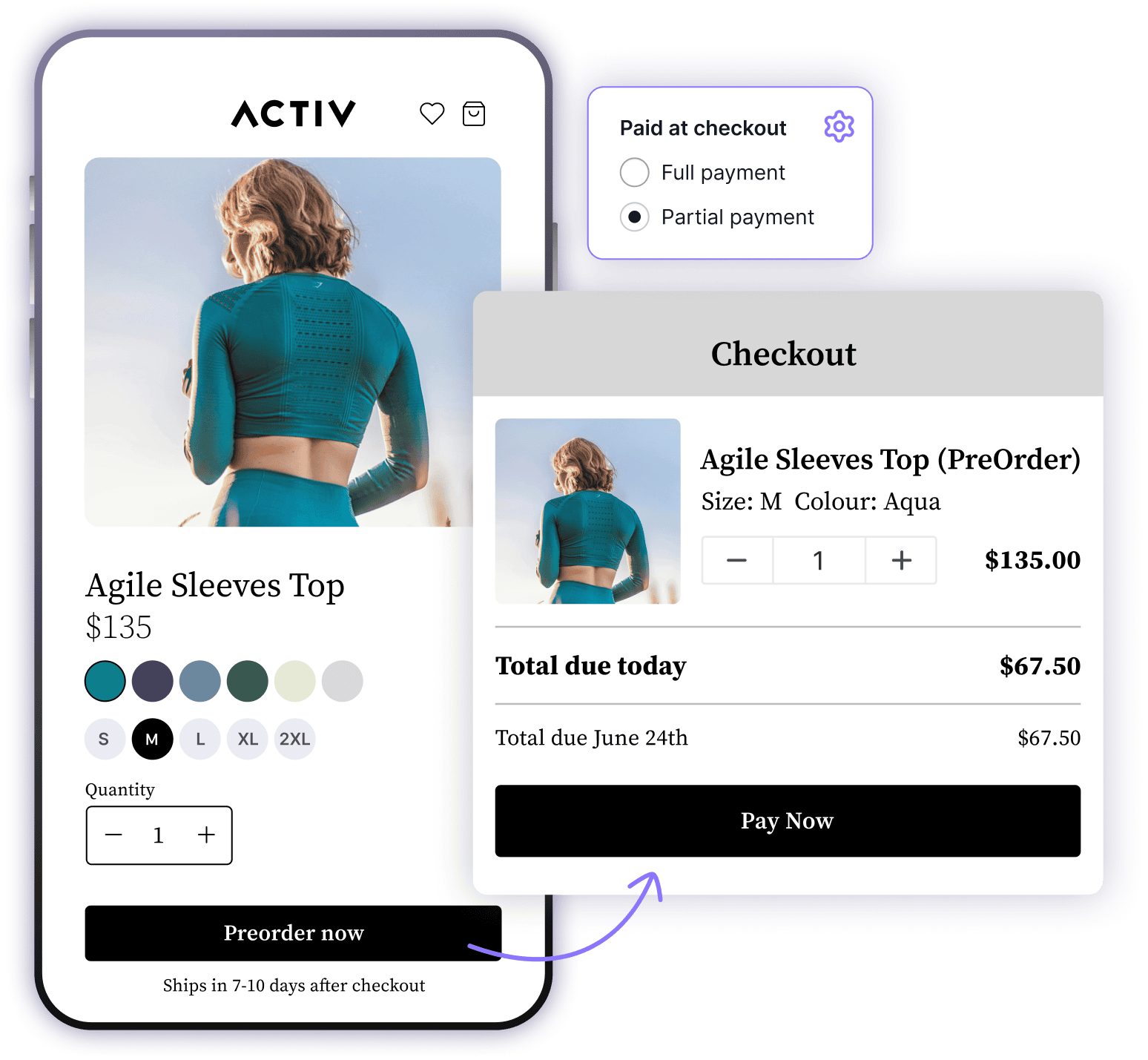
Let customers preorder before your collection ships
Set up preorders in minutes, customize buttons and messaging to match your store, and capture buyer intent before launch with flexible payment options, branded forms, and real-time demand insights.

Predict demand and boost your bottom line
Optimize cash flow and demand forecasting with preorders.

Get paid your way
Flexible payment options including full payment, partial deposit, or discount-based incentives to drive conversion and improve cash flow.

Seamless design. Zero code.
Fully branded preorder buttons, forms, and messaging—customized to your theme, device type, and language. Set up in minutes, no code required.

Plan smarter with real demand data
Use preorder demand insights to improve inventory planning, launch timing, and prioritize products your customers want most.
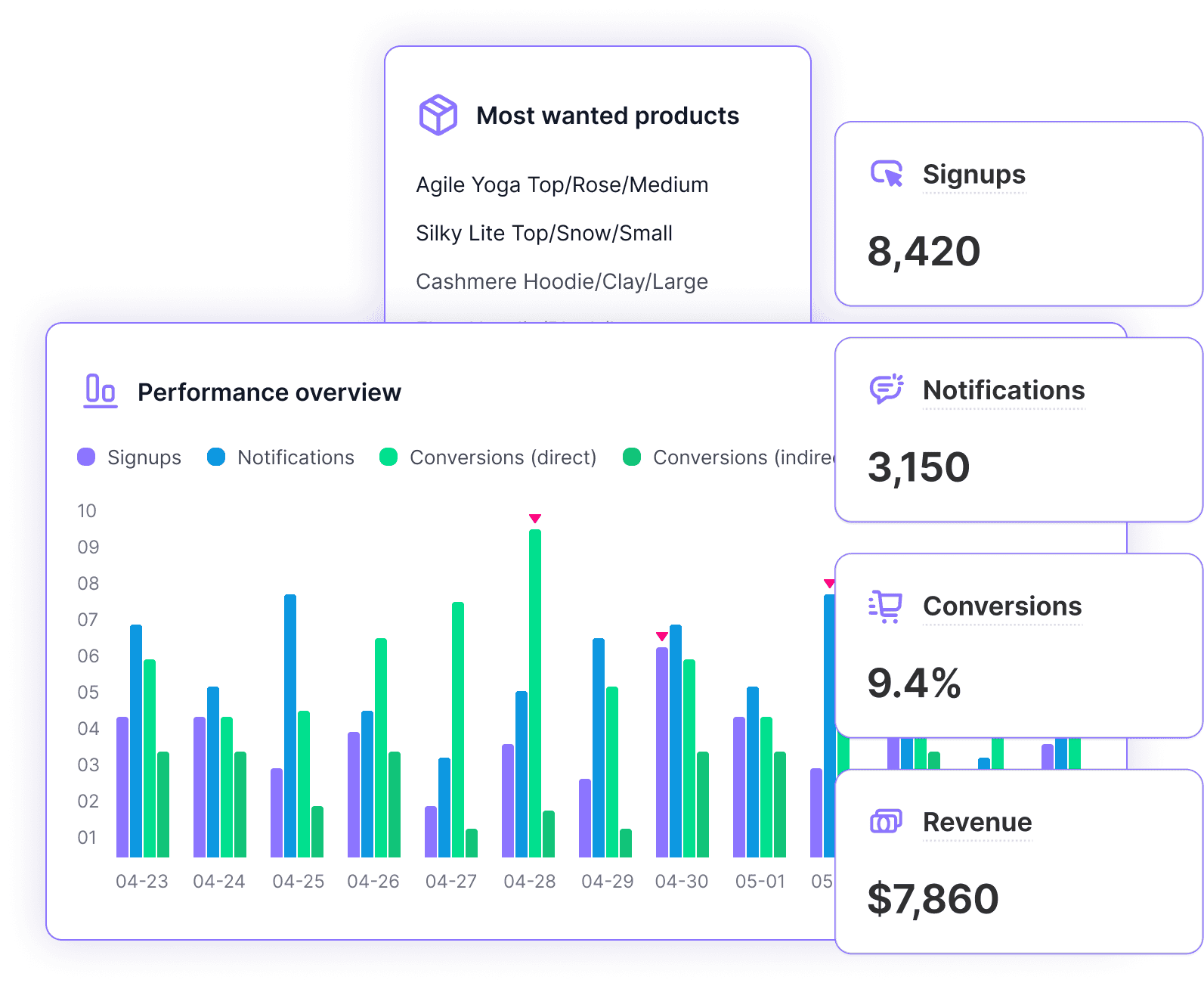
Track performance
Identify high-demand products for better inventory and marketing strategies
Use detailed analytics to track customer demand, notification performance, and conversion impact. Leverage real-time insights to optimize inventory, refine marketing strategies, and drive upsells and cross-sells.

Track conversions and sales impact
Measure the direct revenue generated from Back in Stock notifications.

Optimize inventory and demand planning
Identify high-demand out-of-stock products and adjust restocking strategies accordingly.

Refine marketing and upsell strategies
Use customer demand data to target upsells, cross-sells, and personalized campaigns.
Over 25,000 brands trust Back in Stock
Here's what our customers have to say
Amazing app I've used for years. It's a breeze to install and customize. I love the detailed reporting it gives on notifications sent, notifications converted and notifications that haven't converted.



Back in Stock is a great app, it's easy to use and very beneficial to our business. Amp have also been great to communicate with and helped resolve any issues.


Really great, well-built app. Handles the basics reliably and includes powerful extra features that truly set it apart. Support is excellent - had a small issue with the back-in-stock button not displaying correctly on variants, and James H. resolved it within seconds. Definitely a five-star app.

One of the originals and still the best back in stock application for shopify. Features constantly added and support that is second to none.


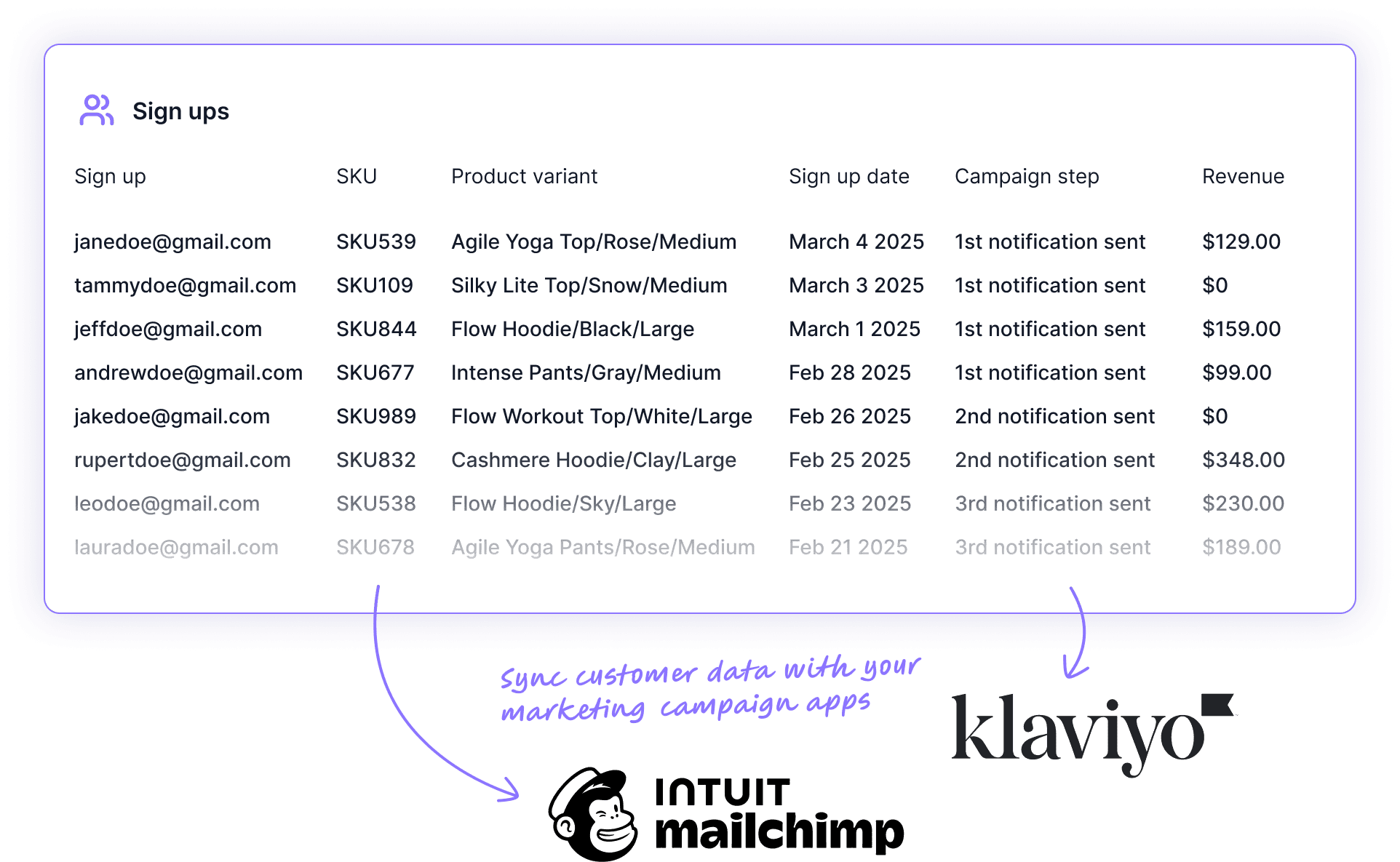
Drive engagement and sales with intent-driven insights and seamless integrations

Seamless integrations for enhanced engagement
Integrates with platforms like Klaviyo, Mailchimp, PageFly, Campaign Monitor and more, ensuring a cohesive experience and smooth workflows across all customer touchpoints.

Optimize product assortment and buying decisions
Use buyer intent insights to inform your product assortment strategy. Understand which products are in high demand and strategically stock similar products to meet customer needs.

Intent-driven recommendations and alternatives
Use intent data to personalize marketing efforts by directing customers to alternative products they're likely to buy when an item isn't restocking.
We integrate with the platforms commerce brands use everyday
Connect to Shopify to add Back in Stock buttons, pop ups and forms that match your theme.

Connect Klaviyo to Back in Stock to sync your signup lists with segments and campaigns.
Learn more
Sync customer data from Back in Stock to Mailchimp to run smart campaigns.

Connect Back in Stock with Zapier and your Zaps will automatically receive new notifications.
Enable customers to opt-in to your Constant Contact mailing list when signing up for a Back in Stock notification.
Enable customers to opt-in to Campaign Monitor mailing lists when signing up for a Back in Stock notification.

Display the Back in Stock button in your PageFly pages.
Simple pricing, with all features on all plans
Try Back in Stock completely free and in full for 14 days

Never miss a sale
Capture buyer demand in the moment to avoid lost sales, and use this data to inform your marketing strategies.

Design to match your brand
Back in stock buttons, forms, pop ups, and emails, can be fully customized to fit seamlessly with your store and in multiple languages.

Boost upsells and cross-sells
Use demand insights to promote similar or premium products for higher AOV.

Instant and scalable delivery
Notify customers within 60 seconds of a restock for immediate conversions.

Full control over notifications
Manage delivery settings to control how many customers get alerts at once, ensuring a smooth and manageable sales flow.

Track conversions and sales impact
Measure the direct revenue generated from Back in Stock notifications.

Optimize inventory planning
Identify high-demand out-of-stock products and adjust restocking strategies accordingly.

Refine marketing strategies
Use customer demand data to target upsells, cross-sells, and personalized campaigns.

Includes PreOrders
Add preorder buttons to sell new products before inventory arrives, with full or partial payments.
Frequently asked questions
What if I am not sure which plan is best for my business?
We recommend starting off with our Startup plan at $29/month and you can scale up or down (to our Lite plan) as you go.
How does the free trial period work?
All paid accounts come with a no obligation 14 day free trial. Feel free to cancel your plan at any time in the first 14 days, and you won't be charged.
How do I know how many notifications I have left on my plan?
You can navigate to Settings > Billings tab to see how many notifications you have left for the month on your plan.
What happens if I exceed the notifications limit on my plan?
Once you've exceeded the notifications limit of your plan, our app dashboard will let you know. You can then either upgrade to a higher plan or buy more notifications based on your current needs. Notifications bought on a need-basis will never expire until you use all of them.
Free resources to help your business
Explore our free guides, tutorials, and frameworks to help you grow a more profitable Shopify business.
Explore the Learning Center