








One finding in Slack turned into a 15% sales lift in 3 hours.
Meet your analyst in Slack. It posts your key numbers on the schedule you choose, flags what you tell it matters, and answers anything else your team asks, right in the thread.
Just let me in - Start Free Trial ›
Set up once, in one conversation. It reports to you from then on.
 Connect Slack in two steps
 Authorise, pick the channel. The agent introduces itself in the channel.
 Tell it what to track
 It asks which numbers, how far back, how often. Not sure? It suggests a starter set.
 It posts on your schedule
 Key numbers land daily or weekly with a short takeaway. Change cadence any time.
 Ask it anything, anytime
 Tag it in the thread and anyone gets an answer without leaving the conversation.
What your team can ask
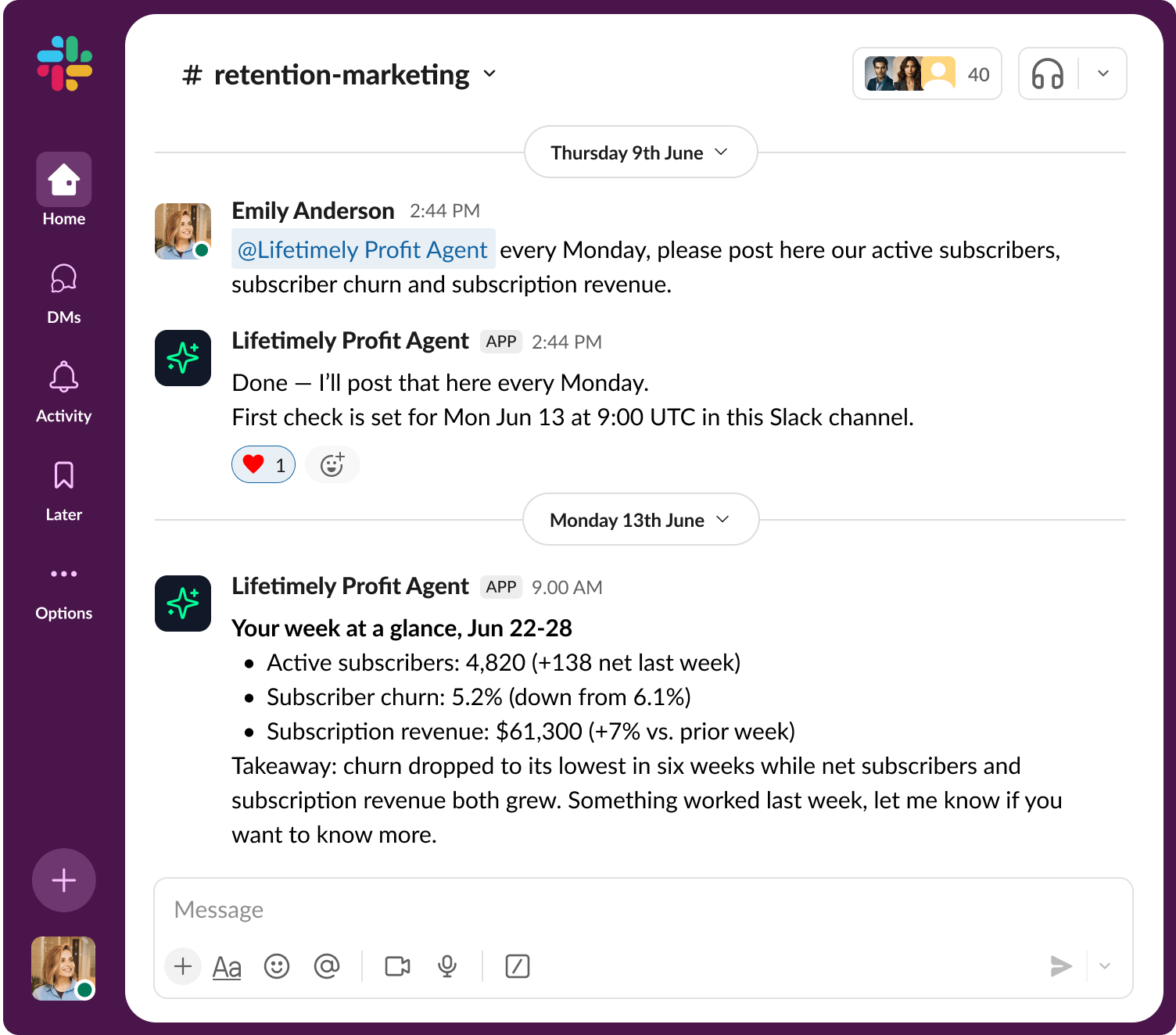
Send me net sales, active subscribers, and churn every Monday.
Delivers your core numbers to the channel automatically, every week - no one has to remember to pull them.
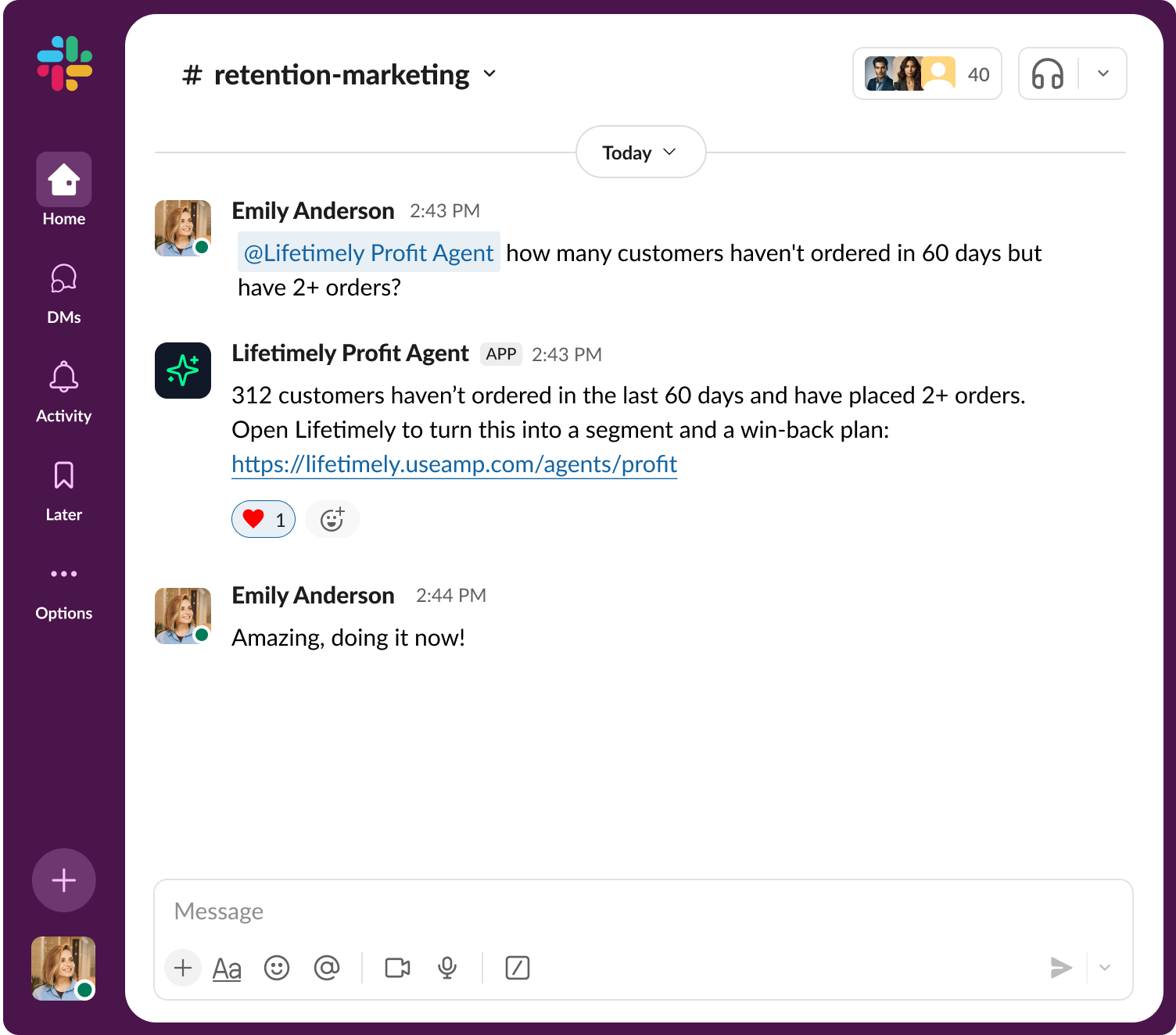
How many customers haven't ordered in 60 days but have 2+ orders?
Surfaces your highest-value lapsed customers and hands you a ready-to-use Lifetimely list and win-back plan.
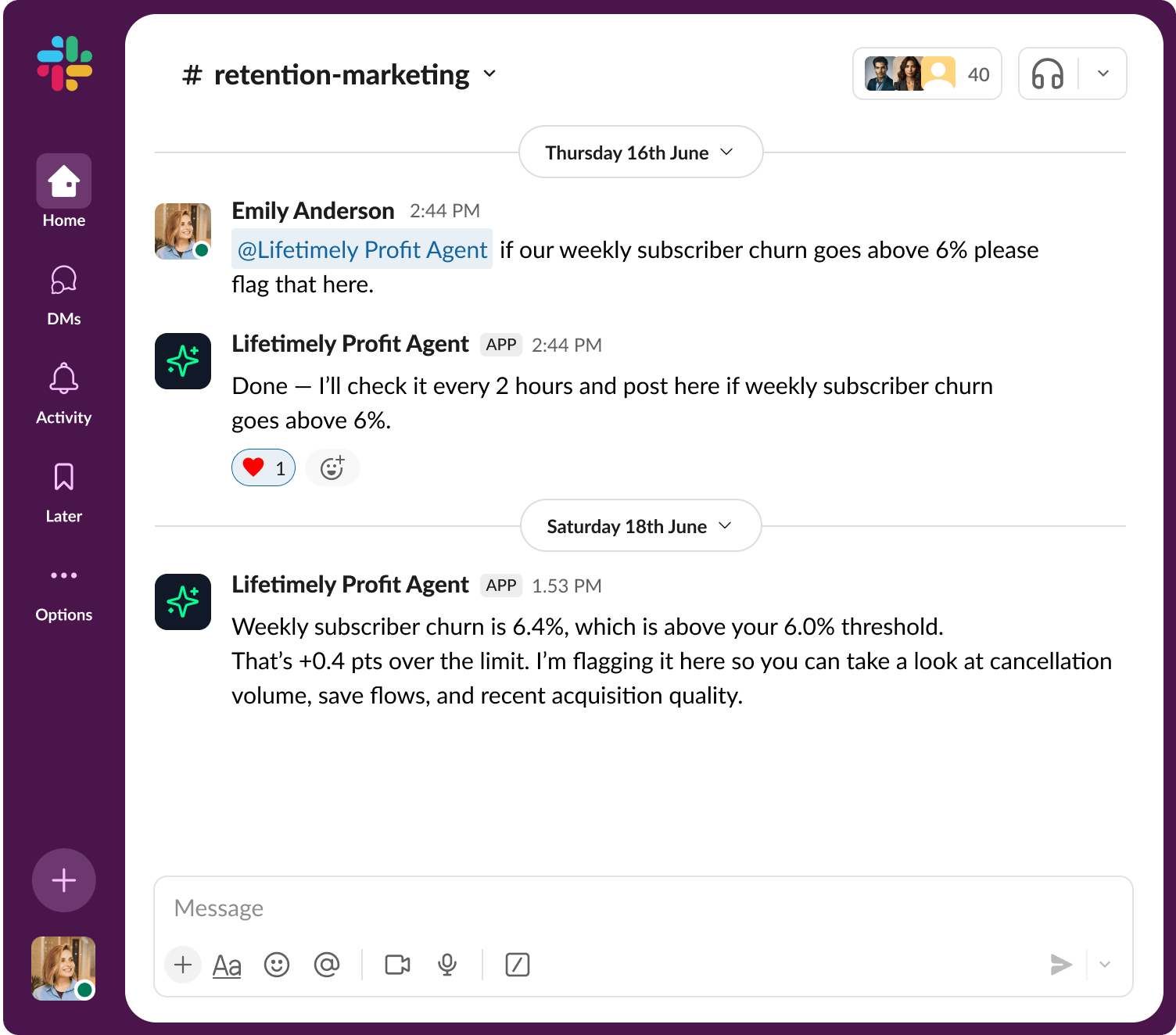
Flag it here if my weekly subscriber churn goes above 6%.
Watches the number in the background and posts the moment it crosses your threshold, so problems get caught early, not at month-end.
How did last week's win-back campaign perform?
Pulls the results into a quick read on what worked, so you know whether to repeat or rework it.
What did we spend on Meta last week and what was the ROAS?
Gives you spend-to-return at a glance, so budget decisions don't wait for someone to open a dashboard.
What's our repeat purchase rate this month vs last?
Shows you the trend line on loyalty, so you catch a slide before it shows up in revenue.
Send me net sales, active subscribers, and churn every Monday.
Delivers your core numbers to the channel automatically, every week - no one has to remember to pull them.
How many customers haven't ordered in 60 days but have 2+ orders?
Surfaces your highest-value lapsed customers and hands you a ready-to-use Lifetimely list and win-back plan.
Flag it here if my weekly subscriber churn goes above 6%.
Watches the number in the background and posts the moment it crosses your threshold, so problems get caught early, not at month-end.
How did last week's win-back campaign perform?
Pulls the results into a quick read on what worked, so you know whether to repeat or rework it.
What did we spend on Meta last week and what was the ROAS?
Gives you spend-to-return at a glance, so budget decisions don't wait for someone to open a dashboard.
What's our repeat purchase rate this month vs last?
Shows you the trend line on loyalty, so you catch a slide before it shows up in revenue.
Send me net sales, active subscribers, and churn every Monday.
Delivers your core numbers to the channel automatically, every week - no one has to remember to pull them.
How many customers haven't ordered in 60 days but have 2+ orders?
Surfaces your highest-value lapsed customers and hands you a ready-to-use Lifetimely list and win-back plan.
Flag it here if my weekly subscriber churn goes above 6%.
Watches the number in the background and posts the moment it crosses your threshold, so problems get caught early, not at month-end.
How did last week's win-back campaign perform?
Pulls the results into a quick read on what worked, so you know whether to repeat or rework it.
What did we spend on Meta last week and what was the ROAS?
Gives you spend-to-return at a glance, so budget decisions don't wait for someone to open a dashboard.
What's our repeat purchase rate this month vs last?
Shows you the trend line on loyalty, so you catch a slide before it shows up in revenue.
Send me net sales, active subscribers, and churn every Monday.
Delivers your core numbers to the channel automatically, every week - no one has to remember to pull them.
How many customers haven't ordered in 60 days but have 2+ orders?
Surfaces your highest-value lapsed customers and hands you a ready-to-use Lifetimely list and win-back plan.
Flag it here if my weekly subscriber churn goes above 6%.
Watches the number in the background and posts the moment it crosses your threshold, so problems get caught early, not at month-end.
How did last week's win-back campaign perform?
Pulls the results into a quick read on what worked, so you know whether to repeat or rework it.
What did we spend on Meta last week and what was the ROAS?
Gives you spend-to-return at a glance, so budget decisions don't wait for someone to open a dashboard.
What's our repeat purchase rate this month vs last?
Shows you the trend line on loyalty, so you catch a slide before it shows up in revenue.
The old way vs. Profit Agent
The Profit Agent brings the answers to you, not the other way around.
Numbers on schedule. Answers on demand. Alerts in time to act.
Checking it yourself
Profit Agent in Slack
Checking it yourself
Profit Agent in Slack
Ask your store anything. Right in Slack.
- Scheduled reporting - Your key numbers post automatically, on the schedule you choose.
- Answers in the thread - Ask it anything about your store, and get a response right there.
- Alerts you set - It only flags what you've told it matters, nothing else.
Your analyst is already in Slack. Just connect it.
Connect Slack and get the numbers you care about, the answers your team needs, and the alerts you choose, then open the Profit Agent whenever there's something worth digging into.
Just let me in - Start Free Trial ›